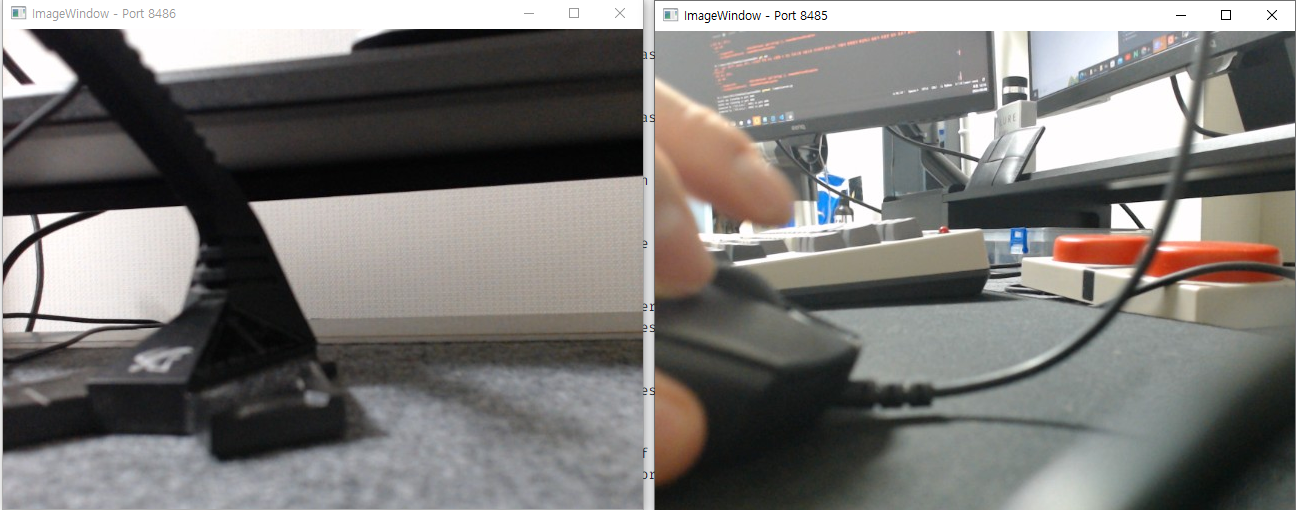
캡스톤 디자인에서 사용할 웹캠 프레임 전송
다수의 카메라에서 서버로 이미지와 좌표를 전송할 것.
server.py
import socket
import cv2
import numpy as np
import threading

def recvall(sock, count):
    buf = b''
    while count:
        newbuf = sock.recv(count)
        if not newbuf:
            return None
        buf += newbuf
        count -= len(newbuf)
    return buf

def handle_client(port):
    HOST = ''

    s = socket.socket(socket.AF_INET, socket.SOCK_STREAM)
    s.bind((HOST, port))
    s.listen(10)
    print(f'Socket now listening on port {port}')

    conn, addr = s.accept()
    print(f'Connected by {addr} on port {port}')

    while True:

        length = recvall(conn, 16)
        if length is None:
            break
        stringData = recvall(conn, int(length))
        if stringData is None:
            break
        data = np.frombuffer(stringData, dtype='uint8')

        frame = cv2.imdecode(data, cv2.IMREAD_COLOR)

        # 이미지 표시
        cv2.imshow(f'ImageWindow - Port {port}', frame)
        cv2.waitKey(1)

    conn.close()

ports = [8485, 8486]
threads = []

for port in ports:
    t = threading.Thread(target=handle_client, args=(port,))
    t.start()
    threads.append(t)


for t in threads:
    t.join()

cv2.destroyAllWindows()
client.py
# -*- coding: utf8 -*-
import cv2
import socket
import numpy as np

## TCP 사용
s = socket.socket(socket.AF_INET, socket.SOCK_STREAM)
## server ip, port
s.connect(('localhost', 8485))

## webcam 이미지 capture
cam = cv2.VideoCapture(0)


## 0~100에서 90의 이미지 품질로 설정 (default = 95)
encode_param = [int(cv2.IMWRITE_JPEG_QUALITY), 90]

while True:

    ret, frame = cam.read()

    result, frame = cv2.imencode('.jpg', frame, encode_param)

    data = np.array(frame)
    stringData = data.tostring()
    s.sendall((str(len(stringData))).encode().ljust(16) + stringData)

cam.release()